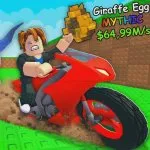
Motorcycle for Animals does not publish a full controls chart. Use standard Roblox movement, then confirm every bind in your client. Roblox updates and device settings can change what you press.
Desktop
Expect WASD or arrow keys to move and the mouse to look. Click plot objects: treadmill, eggs, hatch prompts, Index, and expansion. Open Shop from the left and scroll to codes. Mount the motorcycle from its prompt during a quiet moment on the plot, not during the first far-zone run. Exact mount keys are not published here.
Mobile and tablet
Move with the on-screen stick. Treadmill training is tap-heavy, so short focused bursts beat distracted tapping. Open Shop on purpose. A stray tap mid-ride is easy on a small screen. If the code field ignores input, tap it once to focus, then dismiss the keyboard carefully.
Console
Sticks move. Face buttons confirm through the Roblox console UI. Spend two quiet minutes learning how to open the left Shop and close a menu without canceling a hatch.
Five-minute drill
- Walk a square around the plot without opening menus.
- Open and close Shop twice.
- Focus the code field. Enter Release only if you have not claimed it.
- Train on the treadmill for a short focused burst.
- Interact with an egg slot or hatch prompt if one is available.
- Mount and dismount once in a safe area.
Repeat that drill on every new device. The four places that matter on every platform are the plot, the left Shop, the motorcycle, and the Animal Index.